

Applicant Tracking System Resume: Format Rules and a Free ATS-Friendly Template
An applicant tracking system resume is a resume formatted so hiring software can read it correctly: one column, standard section headings, plain fonts, contact details in the main body, and keywords taken from the job post. Get those right and your resume lands in the recruiter's queue looking the way you wrote it.
Below you'll find a free ATS-friendly resume template in Word, the formatting rules that matter, a filled example, and a two-minute test you can run on your current resume before you hit apply.
What is an applicant tracking system resume?
An applicant tracking system (ATS) is the software employers use to collect applications, store candidate profiles and move people through hiring stages. An applicant tracking system resume is simply one the software can parse into the right fields (name, job titles, dates, skills) without scrambling the text, so a recruiter can find and read it.
The parsing part is the important bit. When you upload a file, the ATS pulls the text out and sorts it into a candidate record. If your layout confuses it, your job title might end up in the wrong field or your contact details might go missing. The recruiter then sees a messy profile, or doesn't find you in a keyword search at all.
Do applicant tracking systems reject resumes automatically?
Mostly no. In an Enhancv study of 25 US recruiters (September to October 2025), 23 said their ATS does not auto-reject resumes. A person still makes the call. The automatic rejections that do happen usually come from knockout questions, such as work authorization, a required license or location.
You've probably seen the claim that 75% of resumes are rejected by software before a human looks at them. It gets repeated everywhere, usually with no study behind it. The recruiters in that study pointed to something more ordinary: volume. A popular role can attract far more applicants than anyone can read closely, so recruiters search and filter.
That changes what you should focus on:
• Readability. If the ATS parses your resume badly, a recruiter skimming the profile sees a mess.
• Searchability. Recruiters search candidate databases by job title and skill. If your resume never uses the words they search for, you don't show up.
• Knockout questions. Answer them honestly and carefully. A wrong click on "Are you authorized to work in the US?" does more damage than any font choice.
Some ATS platforms also show AI match or fit scores. In the same study, 11 of the 25 recruiters had them, and most used the score as a guide rather than a decision.
Free ATS-friendly resume template (Word)
This template is built for parsing first and looks clean enough for the human who reads it next. It's a Word file, so it opens in Microsoft Word, Google Docs and LibreOffice.
What's inside:
• One column, no tables, text boxes, icons or graphics
• Contact details in the body of the page, not in the header
• Standard headings: Summary, Skills, Work Experience, Education, Certifications
• Word's built-in bullet points and heading styles
• Calibri 11 pt body text with simple bold for job titles
• Dates written the same way throughout ("Mar 2024 - Present")
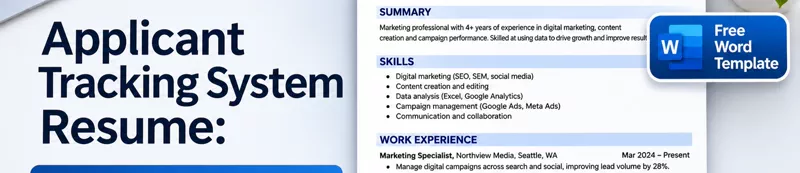
Here's the structure, so you can see it before you download:
[FIRST NAME LAST NAME]
[Target Job Title, copied from the job post]
[City, State] | [Phone] | [email@example.com] | [Profile URL]
SUMMARY
[Job title] with [X] years of experience in [2 to 3 core areas from the job post].
Known for [one specific strength backed by a result].
SKILLS
[Hard skill 1], [Hard skill 2], [Software or tool], [Certification or method]
WORK EXPERIENCE
[Job Title]
[Company Name] | [City, State or Remote] | [Mon YYYY] - Present
• [Action verb] + [what you did] + [result with a number, if you have one]
• [Action verb] + [a responsibility that matches a keyword in the job post]
EDUCATION
[Degree, Major]
[School Name] | [City, State] | [YYYY]
CERTIFICATIONS
[Certification Name], [Issuing Organization], [YYYY]
Replace every bracket, delete sections you don't need, and keep it to one or two pages.
ATS resume formatting rules that matter
The applicant tracking system resume format comes down to one idea: make it easy for software to pull your text out in the right order. Here's what to do and what to avoid.

Layout: keep it to one column
Some well-built two-column templates parse fine. The trouble is you can't know which system each employer uses, so a single column is the safe default. It also reads well on a phone, which is where plenty of recruiters skim.
Section headings: use the boring names
Creative headings look nice and parse badly. "Work Experience" or "Professional Experience" tells the software exactly what follows. Save the personality for your summary and bullet points.
Contact details: put them in the body
Type your name, phone, email, city and profile link as normal text at the top of the page. Don't tuck them into Word's header area. Leave out your full street address; city and state are enough.
File name: make it easy to find
Name the file "Firstname-Lastname-Resume.docx" or add the job title. "resume_final_v3.docx" doesn't help anyone.
Which sections should an ATS-friendly resume include?
Use this order for most roles:
1. Contact details. Name, target job title, city and state, phone, email, profile link.
2. Summary. Two or three lines on who you are and what you bring. Our resume summary examples show how to write one fast.
3. Skills. Hard skills, tools and certifications that match the job post. See our list of skills to put on a resume if you're stuck.
4. Work experience. Reverse chronological order, newest first.
5. Education. Degree, school, year (the year is optional if it was a long time ago).
6. Certifications, projects or volunteer work. Only if they support the role.
If you're early in your career, an objective statement can replace the summary. If you're switching fields, our career change resume guide covers how to lead with transferable skills while keeping the same ATS-safe layout.
How to add keywords from the job post
Keywords are the job titles, skills, tools and certifications a recruiter is likely to search for. You find them in the job post itself.
1. Copy the job post into a document. Highlight hard skills, tools, certifications and the exact job title.
2. Mark the repeats. Words that show up in the title, the requirements and the responsibilities are the ones that matter most.
3. Match the employer's wording where it's true. If they say "customer success" and you wrote "client support", use their phrase if it honestly describes your work.
4. Put keywords where they make sense. Your title line, summary, skills section and bullet points. A skill shown in a real bullet carries more weight with the human reader than a skill only listed.
5. Include both forms of acronyms once. "Search engine optimization (SEO)" covers both ways someone might search.
6. Leave out what you can't back up. If a recruiter asks about it in the interview, you need a real example.
Don't paste the job description in white text or repeat a keyword ten times. Recruiters see the parsed text, and stuffing makes you look worse, not better.
Applying to several similar roles? Keep a master resume and tailor a copy for each application. Browsing a batch of open roles on Lobox is a quick way to spot the skills and job titles that keep coming up in your field, so you know which keywords belong in your master version.
Applicant tracking system resume example
Here's a filled example for a customer success role. Every detail is fictional; copy the structure, not the content.
JORDAN REYES
Customer Success Manager
Austin, TX | (555) 010-2468 | jordan.reyes@email.com | [profile URL]
SUMMARY
Customer success manager with 5 years of experience in B2B SaaS onboarding,
account renewals and customer training. Known for turning at-risk accounts
into renewals through structured check-ins and clear success plans.
SKILLS
Customer onboarding, Account management, Renewals and upsells, Salesforce,
Zendesk, Gainsight, QBR planning, Customer training, Churn analysis
WORK EXPERIENCE
Customer Success Manager
Brightline Software | Austin, TX | Mar 2022 - Present
• Manage a portfolio of 60 mid-market accounts, leading onboarding,
quarterly business reviews and renewal planning
• Built a 30-day onboarding checklist used by the whole CS team
• Partner with sales on upsell opportunities identified during QBRs
Customer Support Specialist
Northfield Apps | Remote | Jun 2019 - Feb 2022
• Resolved technical and billing tickets in Zendesk across email and chat
• Wrote 40+ help center articles on common setup questions
EDUCATION
B.A., Communication
University of Texas at Austin | Austin, TX | 2019
Notice what it does: the exact job title sits under the name, the skills line mirrors a typical customer success job post, and the keywords show up again inside real bullet points.
How to test your resume before you apply
You don't need a paid tool to run a basic applicant tracking system resume test. Try this:
1. Copy and paste test. Open your file, select all, copy, and paste into a plain text editor (Notepad, TextEdit in plain text mode). Read it top to bottom.
2. Check the order. Your name should come first, then contact details, then sections in order. If lines from two columns are mixed together, that's what a parser may see.
3. Check for missing text. If your email, phone or job titles are gone, they were probably in a header, text box or graphic.
4. Check for strange characters. Boxes, question marks or broken symbols mean a font or bullet didn't convert.
5. PDF users: try selecting the text. If you can't highlight words in your PDF, it's an image and an ATS can't read it.
Free and paid applicant tracking system resume check tools can add a keyword comparison against a job post. Treat the score as a hint, not a pass or fail. No checker knows how a specific employer has set up its system.
Pre-submit checklist
• One column, no tables, text boxes, icons or photos
• Name and contact details in the body, not the header
• Standard section headings
• Exact job title from the post near the top
• Keywords from the job post in the summary, skills and bullets
• Same date format everywhere
• File type matches what the job post asks for
• File named with your name
• Plain text paste test done
• Knockout questions answered carefully
Ready to apply?
A clean ATS-friendly resume gets you read. Tailoring it to each role gets you a call back. Download the template, run the paste test, then put it to work: browse open roles and apply to jobs on Lobox, where you can also connect with recruiters hiring in your field.
Apply to jobs on Lobox
FAQ
Is a PDF or Word resume better for an ATS?
Follow the job post first. If it asks for a specific file type, use it. If it doesn't say, a .docx file is the safest choice because nearly every system reads it. A text-based PDF exported from Word or Google Docs is usually fine too. Avoid scanned PDFs and image files, since there's no text inside for the software to read.
Are Canva resume templates ATS-friendly?
Some are, many aren't. Canva designs often rely on columns, text boxes, icons and graphics, which can scramble or hide text when an ATS extracts it. If you love a Canva design, export it, then paste the text into a plain text editor. If the order is jumbled or details are missing, switch to a single-column Word template for online applications.
Can an ATS read a two-column resume?
Sometimes. Some systems handle clean two-column layouts, while others read straight across the page and mix lines from both columns. Since you can't tell which system an employer uses, a single column is the lower-risk option. If you keep two columns, run the copy and paste test and check that each section comes out whole and in order.
How long should an applicant tracking system resume be?
One page works for most early-career candidates. Two pages is normal once you have several relevant roles or a long list of projects. The ATS itself doesn't penalize a second page. Length matters to the recruiter reading it, so cut anything that doesn't support the job you're applying for.
Do I need to tailor my resume for every application?
You don't need to rewrite it, but you should adjust it. Update the job title line, reorder your skills to match the post, and swap in the employer's wording where it honestly fits your experience. Keep a master resume with everything, then save a tailored copy for each role so you can track what you sent where.
Are Google Docs resume templates ATS-friendly?
The simple, single-column Google Docs templates usually are. Watch out for templates that use tables or side panels to create their layout, since those can break up the text. Download your finished resume as .docx or PDF, then run the plain text paste test before you upload it anywhere.